App Review: Sweep
Introduction
When out on the trails, many of are in search of the natural world and not the digital world. Seeing trees and water and wildflowers is a welcome respite from the digital noise we’re surrounded by with texts, social media algorithms and emails. But sometimes, the right digital tool can actually enhance the outdoor experience, helping us discover new places, navigate unfamiliar trails and stay safe along the way.
That’s where Sweep comes in.
I previously reviewed the app team’s initial application Outdoor Explorer TX here, so think of Sweep as more of a continuation on that journey.
(Also, check out my Interview with the Sweep founders)
The App
Sweep is available for both IOS and Android platforms, and most importantly, it’s FREE.
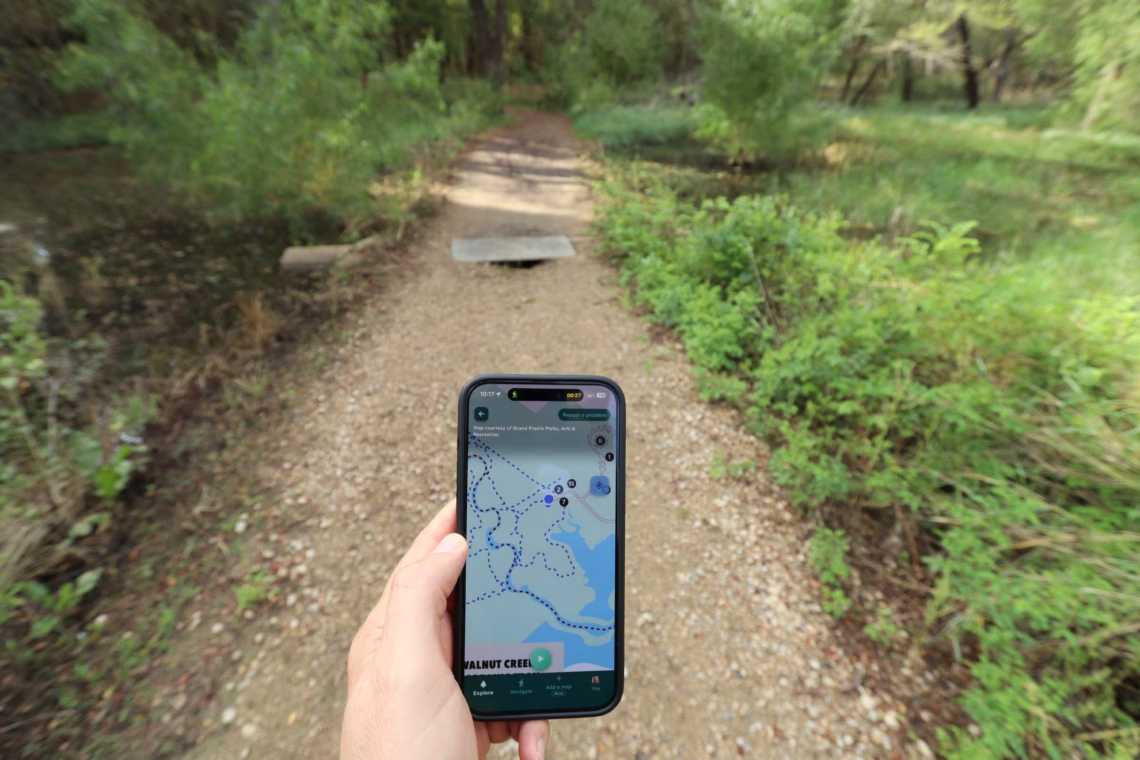
In a nutshell, Sweep has taken the official trail maps for the national parks, state parks and local parks and shows your current location on those maps.
Hikers and bikers are used to looking at paper maps or PDFs on their phones to plan out their journeys. However, those maps don’t show where you are on the map. If you are at White Rock Lake, that isn’t a really a major pain point. You know if you keep going you’ll eventually wind up back at your starting point. But if you are at the LBJ Grasslands or another more complicated trail system, things get a lot more challenging.
That’s where Sweep’s approach becomes particularly useful
Discovery
Discovery is such a critical part of enjoying the outdoors, especially in a place like North Texas where in many cases natural spaces are scattered, hidden or hard to find. Sweep helps the user in a few ways:
- Sweep shows nearby trails and outdoor spaces, making it easy to discover places you might not have known existed. You can explore what’s close to home, find new spots when traveling, or scroll around the map to see what’s available farther afield. The database includes locations across the national park system as well. Keep in mind that coverage is still growing, so you won’t find everything yet.
- The developers have also recently added a feature that lets users upload trail maps for locations that aren’t already in Sweep. That’s a promising way to expand the app’s coverage over time. I’ve uploaded a few myself, and the developers added them.
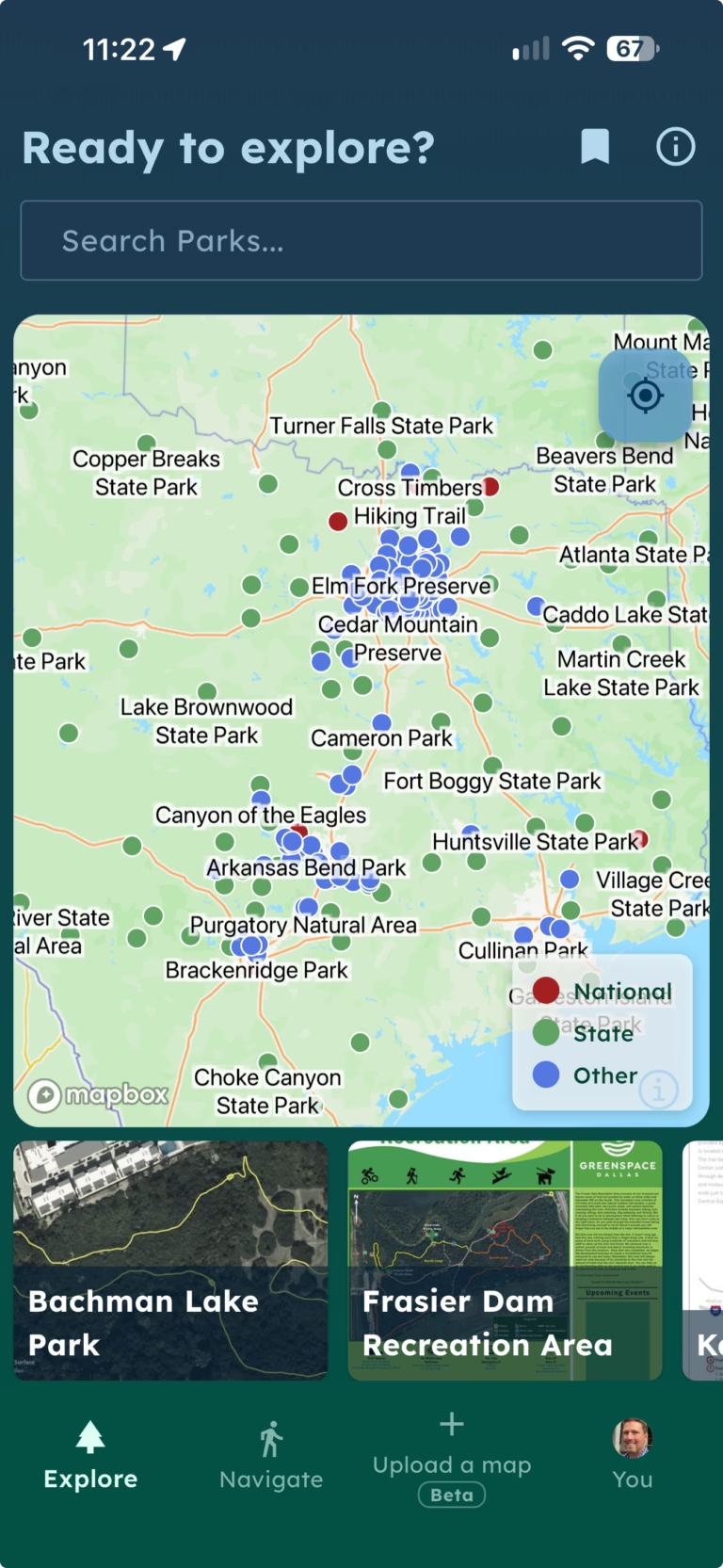
Navigation
Because you can see your location on the map, this makes navigation so much easier. I already addressed trying to find points of interest on the map, but there are other use cases where Sweep has been helpful:
- Ever had a flat tire on a mountain bike trail and needed to get out on foot? I once found myself in that situation at River Legacy without a spare tube. It’s not a particularly large trail system, but it has plenty of twists and turns, and I needed to find the quickest way out while pushing my bike. This happened before Sweep existed, but being able to see my location on the map would have made that a whole lot easier.
- Because the maps are not only trail maps but also park maps, you can find trailheads. This helped me when I went to Lloyd Park. There are two trails there, and the second one was difficult to locate. Using Sweep, I was able to drive to where the trail actually was.
- Beyond finding a trail, it also helps you while on the actual trail find spots of interest. State Park maps often highlight special views, CCC structures, interesting trees or other spots hikers may be interested in. Using Sweep you know where on that map you currently are so you can find those spots.
- A friend and I once visited the LBJ Grasslands in search of the Haunted Woods, mostly because it sounded cool. I don’t think we ever found it! With so much ground to cover, it was difficult to figure out exactly where we were on the map. Eventually, we were tired and ready to get back to the car, so we tried cutting across the area toward the parking lot. That didn’t go particularly well, and we ended up scrambling through brambles. Had we had Sweep, we could have found a better route to the car.
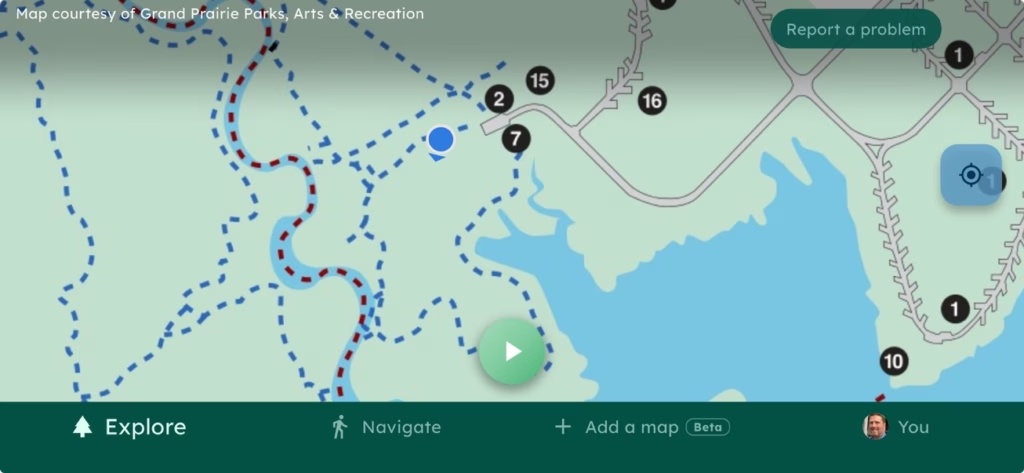
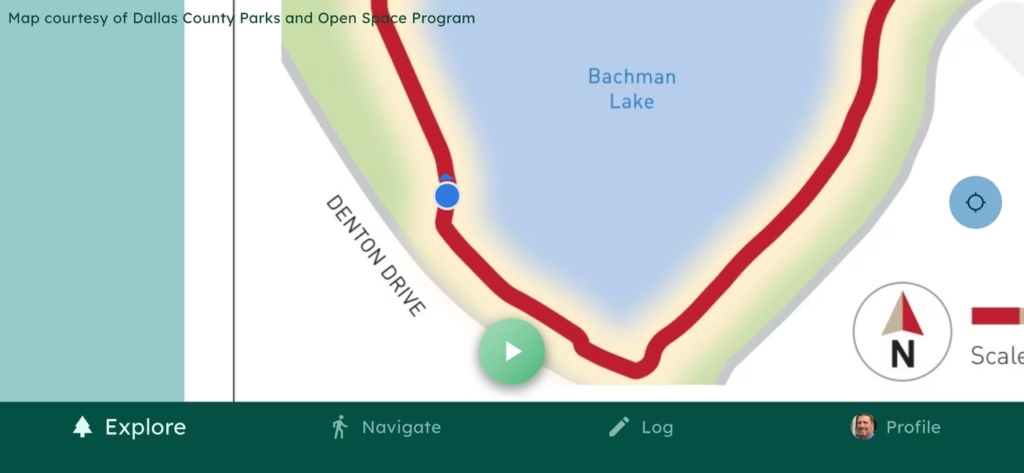
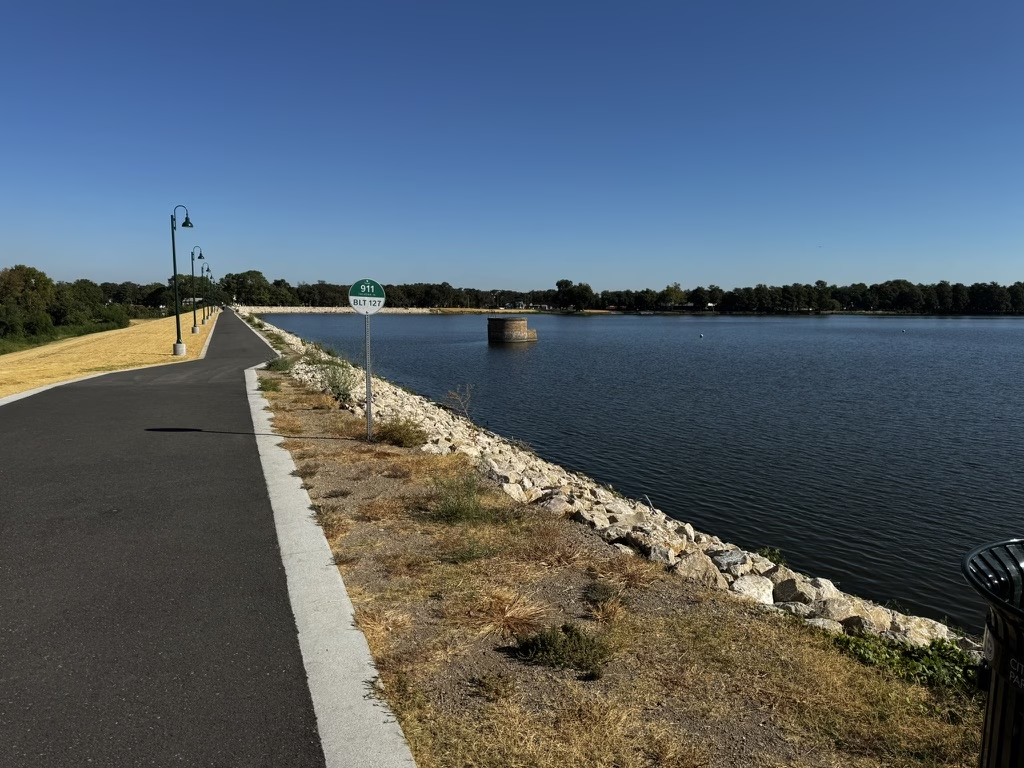
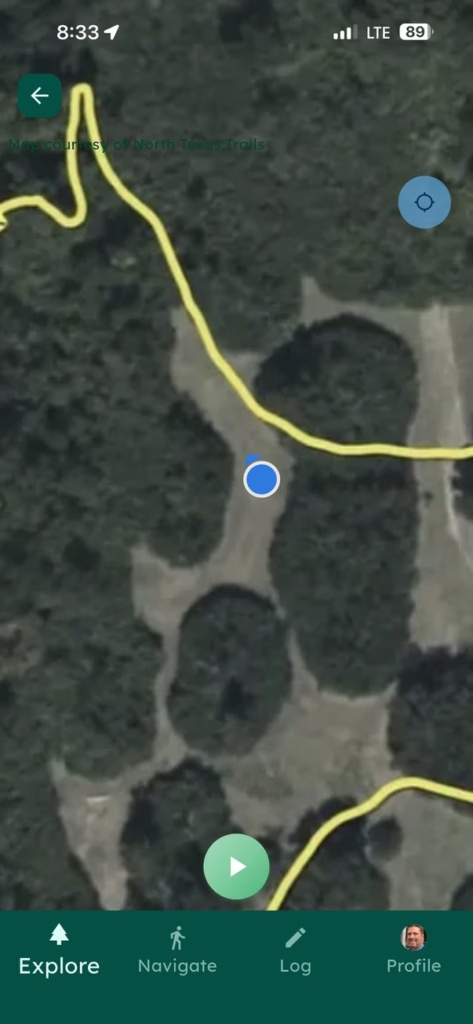
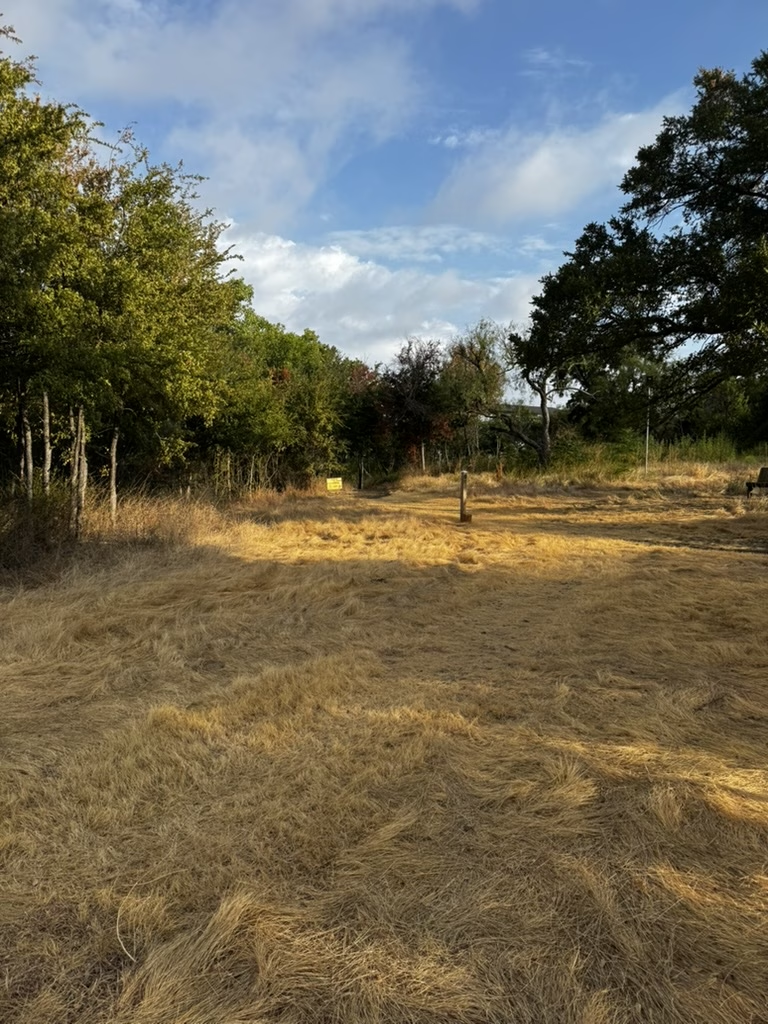
Screenshot from Lloyd Park, plus shots at Bachman Lake and Bachman Greenbelt both from Sweep and real life location
Safety
Another key way that Sweep can help is with hikers in an unfamiliar location, or needing to identify their locations.
- I’ve been to Cedar Ridge Preserve so many times, i could draw the map from memory. But for new hikers without that experience, it’s easy to get turnd around or lost. Twenty years ago I was stupid and went to Fort Worth Nature Center without water in the summer, and took a “short cut”, which was anything but. Having a navigation aid in a situation like that would have been extremely helpful.
- Beyond our local trails, some state parks like Palo Duro Canyon are massive! It would be very easy to get lose out there or in a National Park. You would have to really try to get lost at Bachman Greenbelt, but the use cases for Sweep become much more apparent at scale in these larger outdoor spots where you likely won’t be as familiar with your surroundings.
- With modern cell phones and Google or Apple Maps, it’s easy to send someone a pin showing a location, but if you are lost or are hurt and need help, being able to screen shot your location on the trail map, could help people get to you and know where you are. Obviously this would depend on cell service availability, having the right safety equipment including communications is critical if you are in remote areas.
Conclusions
I’ve found Sweep to be a useful addition to my outdoor adventures, whether I’m exploring a new trail, trying to find a particular spot in a park, or figuring out my way around an unfamiliar trail system.
In talking with the developers, it’s clear they have plenty of ideas for expanding the app and finding new ways to help people explore the outdoors. I’m interested to see how it evolves.
It’s not often you find a tool this useful that’s also free. If you enjoy exploring North Texas trails, or venture farther afield to state and national parks, I’d recommend giving Sweep a try. You might find it becomes one of those tools you don’t realize you need until you’re out on the trail.

Jeff
A long time native of North Texas, I love to hike and mountain bike in my spare time. I’m always looking for some place new to explore, which is why I’m doing this site.